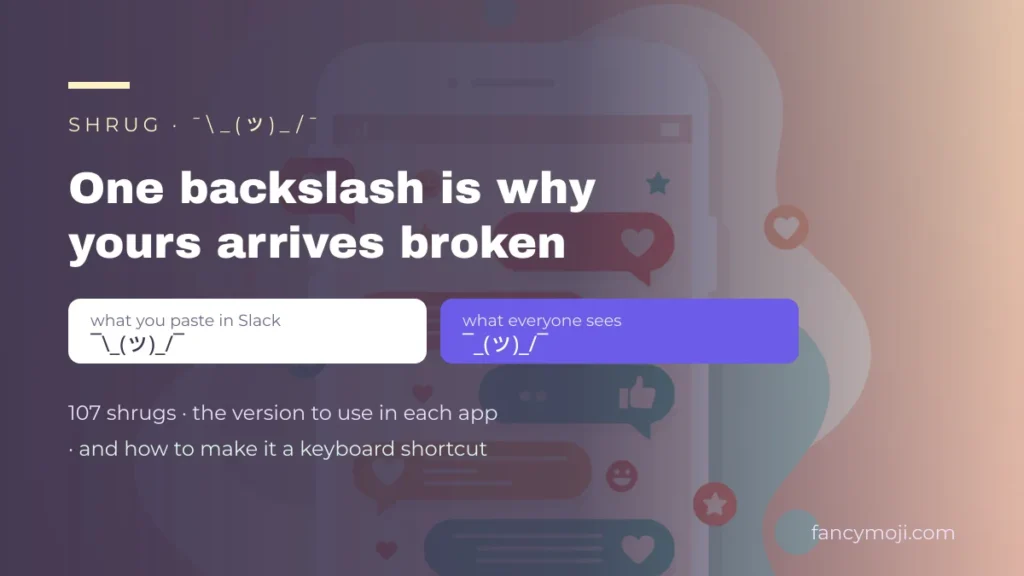
The shrug emoticon, written ¯\_(ツ)_/¯, is a text face of a person raising their hands to say “I don’t know”. It is built from a macron, a backslash, an underscore, parentheses and the Japanese katakana letter ツ.
The shrug is the only famous text face with a backslash in it, and that single character is why yours keeps arriving broken. Paste ¯\_(ツ)_/¯ into Slack and an arm vanishes. Paste it into a Reddit comment and half of it turns to italics. This page has 107 shrugs to copy, the exact version to type in each app so it survives, and how to set it as a two-letter keyboard shortcut so you never paste one again.
Copy the shrug
The standard one first, then the three versions you need when an app treats the backslash as an instruction rather than a character.
| Where you are pasting | What to use |
|---|---|
| Anywhere plain: iMessage, WhatsApp, a document, a browser field | |
| Slack — type it, do not paste it | |
| Reddit comment box (Markdown) | |
| HTML, or anywhere the characters get mangled in transit |
Why yours arrives broken: the backslash
Every other famous text face is made of characters that mean nothing to a computer. The shrug contains \ — a backslash — and in a great many text systems the backslash is not a character at all. It is an instruction that says «treat the next character literally, then throw me away».
So the software does exactly that. It removes the backslash, keeps the underscore, and hands you a shrug missing an arm. Nobody tells you; you just look sloppy.
| App | What happens to a pasted shrug | What to do |
|---|---|---|
| Slack | Typing it eats the backslash: you get ¯_(ツ)_/¯ | Type a double backslash, or paste instead of typing |
Markdown reads _…_ as italics and \ as an escape — the face falls apart |
Use the triple-backslash version above | |
| Discord | Pasting is fine; typing inside a code block is fine | Nothing, unless you are writing Markdown by hand |
| WhatsApp, iMessage, SMS | Arrives intact — no Markdown, nothing to escape | Nothing |
| Instagram bio, X | Intact, but the ¯ can sit oddly high on some fonts | Nothing, or use a bracket-arm version |
| Word and Google Docs | Intact, but autocorrect may capitalise or reflow it | Turn off autocorrect for that line |
There is a way to sidestep the whole problem: use a shrug that has no backslash at all. The Japanese-style ones below — ┐(ツ)┌ and ╮( ̄▽ ̄)╭ — are built from bracket characters, which nothing anywhere treats as an instruction. They paste into every app on the list above unchanged.
Make it a keyboard shortcut
If you use the shrug more than about twice a week, stop copying it. Every operating system has a text-replacement feature that will expand a short trigger into the full face, and it takes under a minute to set up. Use a trigger you would never type by accident — shruggie works, shrug does not, because you will type the actual word eventually.
| Device | Where the setting lives |
|---|---|
| iPhone and iPad | Settings → General → Keyboard → Text Replacement → + |
| Android | Gboard settings → Dictionary → Personal dictionary → + |
| Mac | System Settings → Keyboard → Text Replacements → + |
| Windows | No built-in equivalent — use the emoji panel (Win + full stop), the kaomoji tab |
One warning that catches people out on iPhone: the replacement syncs across your devices through iCloud, and it also fires inside passwords fields and search boxes. That is another reason to pick a trigger you will never type for a real reason.
On Windows the emoji panel is genuinely the fastest route — Win + full stop opens it, and the third tab is nothing but kaomoji, shrug included. It is the one place Windows does this better than the alternatives.
107 shrugs to copy
Grouped by what changes: the face, the arms, or the whole construction. Tap any of them to copy.
The classic and its face swaps 30
The face is the only part most people change. Swap ツ for another pair of eyes and the same gesture reads amused, exhausted or fed up — the arms carry the shrug, the face carries the mood.
Japanese-style shrugs with bracket arms 30
These are the ones actually used in Japanese chat, and they have a practical advantage: no backslash. Nothing to escape, nothing to break — they paste cleanly into Slack, Reddit and Discord exactly as you copied them.
Raised-arm versions 20
ヽ and ノ are katakana, not brackets — they read as arms thrown up rather than held out. Slightly more exasperated than the standard shrug.
Soft and sad shrugs 15
Same gesture, gentler face. These are the ones to use when «I don’t know» is an apology rather than a dismissal.
Short and one-armed 12
For a username, a display name or anywhere with a tight character limit. The last three use ㄏ and ᕗ instead of a backslash, so they survive Markdown untouched.
The interchangeable parts 23
Every shrug on this page is built from these. Take a pair of arms, put a face between them, and you have one nobody else is using. The bracket arms — ┐ ┌ ╮ ╭ ヽ ノ 乁 ㄏ — are the safe ones: not a backslash among them.
The emoji version 12
These are single emoji characters, not text faces. They are drawn by the device, so they look different on an iPhone and on Android — and unlike the text shrug, they cannot be pasted into places that only accept plain characters.
What each character actually is
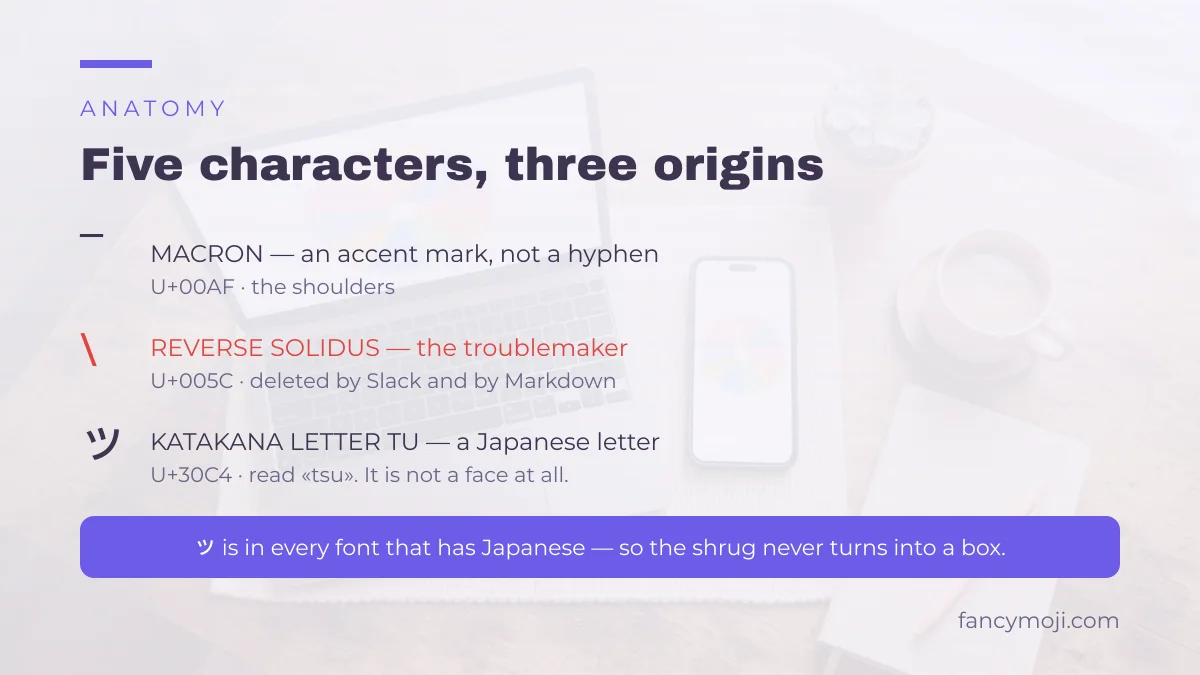
Five different characters, from three different parts of Unicode, and not one of them is what it looks like.
| Character | Official name | What it is doing here |
|---|---|---|
| ¯ (U+00AF) | MACRON | The shoulders. It is an accent mark meant to sit above a vowel — not a hyphen, not an underscore, and that is why it draws high. |
| \ (U+005C) | REVERSE SOLIDUS | The left arm. The character that causes every problem on this page. |
| _ (U+005F) | LOW LINE | The upper arms. |
| ツ (U+30C4) | KATAKANA LETTER TU | The face. A Japanese letter, read tsu, borrowed purely because it looks like a smirk. |
| / (U+002F) | SOLIDUS | The right arm — an ordinary slash. |
The face has two siblings worth knowing. ヅ (U+30C5, katakana du) is the same shape with two dots — it reads as a wink or a smirk with raised eyebrows. シ (U+30B7, katakana si) is the same strokes rotated, and it reads as a calmer, flatter face. Swapping one in is the single cheapest way to make your shrug not look like everyone else’s.
Because ツ is a real letter rather than a symbol, it also behaves like one: it is present in every device font that supports Japanese, which is effectively all of them. That is why the shrug almost never turns into a tofu box, unlike faces built from rare combining marks.
Build your own shrug
Swap the face and you have a shrug that is yours. The builder below is the same one the rest of the site uses — pick a pair of arms, a set of eyes and a mouth, and copy the result. Paste the arms ┐ and ┌ around it if you want a version with no backslash to escape.
build your own face
pick a pair of arms, eyes and a mouth — or let us surprise you.
tap a piece to drop it into the crib and copy it
What it means, and when it lands badly
The shrug says «I don’t know», but that is not quite the whole of it. What it really says is: I don’t know, and I have decided not to find out. That second half is where it goes wrong.
Sent to a friend who asked where to eat, it is warm and funny. Sent to a colleague who asked why the numbers do not add up, it reads as a refusal to help — and it reads that way even when you meant it kindly, because a text face has no tone of voice to soften it.
Three places it is worth thinking twice:
- Answering a direct question at work. «¯\_(ツ)_/¯» in reply to «who owns this?» tells your reader you are done with the subject. If you are actually going to look into it, say so and keep the shrug for later.
- In writing that outlives the moment. A shrug in a document, a ticket or a commit message is read months later by someone who does not know you were joking.
- With screen readers. Read aloud, it becomes a string of character names — «macron, reverse solidus, low line…» — which is neither funny nor informative. In anything that has to be accessible, write the words.
Where it is genuinely excellent: closing a message that has no answer, softening a correction, and admitting you were wrong. ¯\_(ツ)_/¯ after «I have no idea why that worked» is doing real work — it says you are relaxed about not knowing, which is a hard thing to write in words without sounding either arrogant or anxious.
Frequently asked questions
How do you type ¯\_(ツ)_/¯?
Nobody types all five characters by hand. Copy it from this page, or set it up as a text replacement: on iPhone, Settings → General → Keyboard → Text Replacement. On Windows, press Win + full stop and use the kaomoji tab.
Why does my shrug lose an arm in Slack?
Because Slack reads the backslash as an escape character and deletes it. Type a double backslash — ¯\\_(ツ)_/¯ — and one of them survives as the arm. Pasting instead of typing also works.
What does ツ mean?
On its own it is the Japanese katakana letter tsu. It has no meaning as a face at all — it was borrowed into the shrug because the shape happens to look like a smirking mouth and two eyes.
What is the difference between ツ, ヅ and シ?
They are three different katakana letters — tsu, du and si. In a shrug, ツ reads neutral, ヅ reads like a wink because of the two dots, and シ reads flatter and cooler. All three paste identically everywhere.
Is the shrug an emoji?
No. 🤷 is the emoji — one character, drawn by your device, and it changes appearance from phone to phone. The shrug on this page is a kaomoji: five ordinary characters arranged to look like a person, which is why it looks the same everywhere and why it survives in places emoji are blocked.
Can I put it in a username?
Almost never. Handles usually allow only letters, digits, dots and underscores, so the backslash and the katakana are both rejected. Display names and bios are a different field and normally accept it.
The other faces with their own history are on their own pages: the Lenny face for the raised eyebrows, cute kaomoji for the soft ones and sad kaomoji for the opposite. If you want to know what a kaomoji is in the first place, start at what is a kaomoji, and the full library is on Fancymoji.